 "
"
WordPress Community Theme – Build Social Networks & Intranets with Woffice






TL;DR
A WordPress community theme gives you BuddyPress-powered social features — member profiles, activity feeds, messaging, groups — without building from scratch. Most themes stop there. Woffice goes further by bundling intranet tools, project management, a knowledge base, HR features, and file sharing into the same platform. If you need a community that also runs internal operations, Woffice is the only WordPress theme that covers both in one system.
WordPress Community Theme for Social Networks, Intranets & Membership Sites
There are many types of communities available today, both in the digital and physical realms, and connected or isolated. Those that are successful have proper supportive systems in place.
Facebook Groups, Slack, and Messenger are useful tools to build your community. However, there are third-party tools that provide full, self-hosted digital community platforms that allow for full ownership rights and offer customizable features and flexibility that other community tools may lack.
WordPress makes community building so simple. Many of the new community-centered WordPress themes are equipped with the necessary tools to build a community with ease and in just a few minutes on the WordPress server.
Woffice: A complete WordPress community and intranet solution
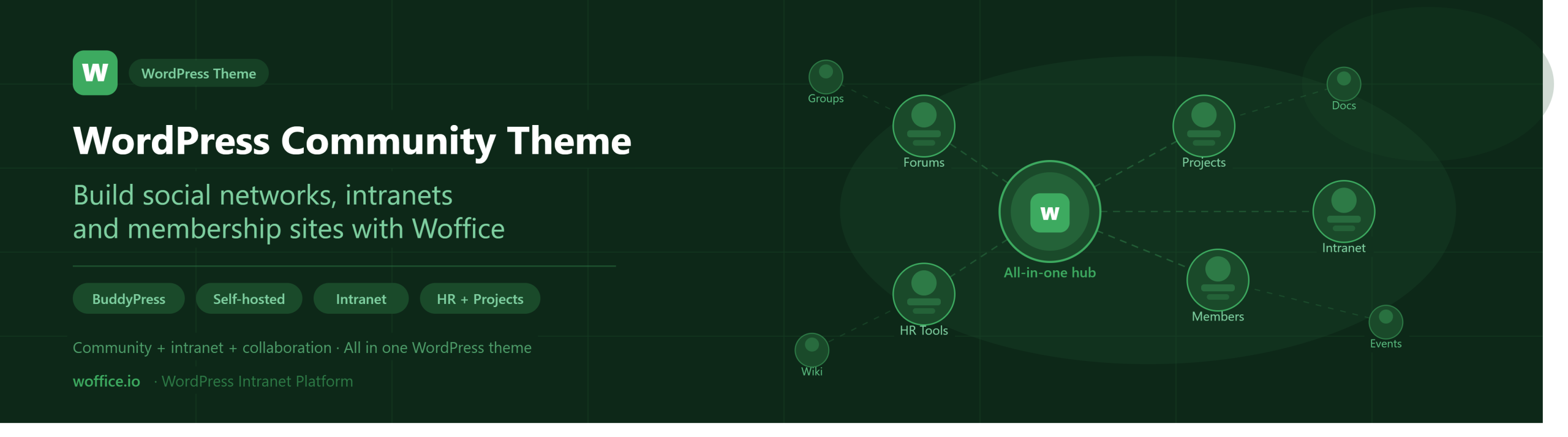
Woffice is a WordPress community theme designed to build private or public social networks, intranet portals, and membership-based websites. It combines BuddyPress-powered community features with project management, messaging, file sharing, and member directories. It makes it a complete collaboration platform rather than just a theme.
What Woffice includes out of the box:
- BuddyPress-powered community and member system
- Private intranet and extranet support
- Member directories, profiles, and a members map
- Internal messaging and group communication
- File sharing and knowledge base management
- Project and task management
- HR features (leave management, org charts, staff directories)
- E-learning support via LearnDash integration
- Slack integration for team notifications
👉 Explore Woffice live demo now
What is a WordPress Community Theme?
First, let’s get down to the basics: a definition.
What is a WordPress community theme?
According to the codex, here is the definition of a WordPress theme.
“A WordPress Theme is a collection of files that work together to produce a graphical interface with an underlying unifying design for a weblog. These files are called template files. A Theme modifies the way the site is displayed, without modifying the underlying software. Themes may include customized template files, image files (*.jpg, *.gif), style sheets (*.css), custom Pages, as well as any necessary code files (*.php). For an introduction to template files, see Stepping Into Templates.”
There are very generic themes, that doesn’t focus on one specific thing. Great examples are Avada or Stack.
But there are also more specific themes that serve a specific niche or purpose.
Community themes are such an example. They have different features, integrations, and a design that fits online communities.
Most importantly, they work with the usual WordPress community plugins, the main one being BuddyPress.
Good.
We know how to go about creating a quick and effective community.
By fostering your community on a familiar platform such as WordPress you make it easy to start, but also easy to evolve and tailor. In fact, WordPress is powering more than 30% of the web. Think up… there are tons of proficient developers out there.
The beauty? You keep and own your data. Everything is stored under your hood.
Moving on the choice of our WordPress template.
How To Choose The Right WordPress Theme for Your Community?
Here are a few features you’ll be looking for in your WordPress theme when making the call for it.
Design and Interface
First thing first. How attractive and modern the theme is?
Do you remember this old page from Facebook?
Lucky me, I don’t.
Either way, I’d be reluctant to use such a design.
Okay, I’m going too far, exaggerating. But you get the point.
The design is timely, it was likely good for the time. But not good for today.
We want an attractive design that gives us the willpower. Something we want to use.
Something we feel easy to play with. We don’t have to mock around for 20 minutes before finding what we want.
Pro tip: make sure to check the design on your laptop, but also on tablets and smartphones. You absolutely want the theme to be responsive.
Last, but not least, make sure that the theme loads fast. You don’t want the page to hang for 2 minutes before displaying what it’s supposed to.
Social and Members-Related Features
We have an easy-to-use application.
But we still haven’t checked through our core features.
We want to make a collaborative intranet/community site where our members can thrive.
We want to bring together, at the least, the following features:
- Social networking: whether we are talking about user profiles, activity posting, or any other social networking feature. It’s a must to have some of those basics
- Messaging: being able to communicate with other members privately, or using group chat, is required as well. We want the chat to be efficient, secure, supporting files and text formatting.
- Forums: debating, contributing, asking public questions; these are all must-have features of our community theme.
- Events management: sharing the next community event must be as easy as logging in! That’d be even better if our theme would support integrations with the major Calendar players (Apple Calendar, Google Calendar, Outlook).
- File sharing: we would also want to be able to share files in private and public. This must be powerful enough to support different folders, so we can truly manage the files.
E-commerce and e-learning capabilities (via LearnDash, for example) are strong additions if your community has a monetization or education component.
Social Network Themes vs Community Themes vs Intranet Themes
As they sound, social network themes are focused on the interaction online. Networking online.
They usually use the famous BuddyPress plugin under the hood and add their layer on top of it to make the social interaction more attractive.
BuddyPress is a free plugin that helps you build any kind of community website using WordPress, with member profiles, activity streams, user groups, messaging, and more.
Some of the common features include chat, groups, file sharing, commenting and posting. Think of it as a Facebook built using WordPress.
On the other hand, community theme goes one step further and provide specific features meant at driving community engagement and interaction. Some examples include event management, member map, and member research tool, matchmaking, and much more.
Lastly, the intranet themes are meant to provide a business-oriented solution for organizations and teams to collaborate effectively. They not only offer social features but also all the business-related requirements to run an efficient project and team – such as project management, knowledge base, HR, etc.
What can you build with a WordPress community theme?
The right WordPress community theme is flexible enough to power a wide range of platforms:
- Employee intranets — internal hubs for teams, with HR tools, project management, and communication
- Online learning platforms — courses, certifications, and knowledge bases for members or students
- Private membership communities — gated communities for customers, professionals, or clubs
- Social networks — BuddyPress-powered public or private networks
- Business portals — client-facing or partner-facing extranets with file sharing and project tracking
- Educational hubs — school or university community platforms with forums, events, and messaging.
WordPress community themes compared
| Theme | Focus | Key limitations |
| BuddyX | Social communities | Limited intranet features |
| Kleo | Membership & BuddyPress sites | No project management |
| Woffice | Community + intranet + collaboration | Requires WordPress setup |
Feature comparison: Woffice vs standard community themes
| Feature | Woffice | Standard community themes |
| BuddyPress integration | Yes | Yes |
| Member directory and profiles | Yes | Yes |
| Forums and messaging | Yes | Yes |
| Events management | Yes | Sometimes |
| Intranet system | Yes | No |
| Project and task management | Yes | No |
| File sharing and folders | Yes | Limited |
| Knowledge base | Yes | No |
| HR features | Yes | No |
| E-learning (LearnDash) | Yes | Rarely |
Wrap Up
Setting up your online community should be straightforward. The harder work is always on the human and marketing side — building engagement, driving participation, keeping members coming back. The right theme removes the technical friction so you can focus on that. If you need a complete community and intranet platform that handles both the social layer and the operational layer — Woffice is a powerful all-in-one solution built for WordPress.
👉 Explore Woffice · View pricing · Try the demo
Frequently asked questions
What is a WordPress community theme?
Creating membership sites, social networks, and other online communities is made easier thanks to community themes. While most WordPress themes are general purpose, community themes have BuddyPress built-in and come with forums, messaging, groups, profile construction, and activity feeds. The most sophisticated community themes, like Woffice, provide intranet and collaboration features beyond social community functions.
What is the difference between a WordPress community theme and an intranet theme?
Community themes are for publishing social functions like profiles, messaging, and member activity grouping. In contrast, theme systems for intranets provide other business functions like project management, file sharing, and team collaboration systems. Woffice is a community theme and therefore is the only WordPress theme that falls under the community theme category that comes with fully functional intranet systems and therefore does not need other plugins to meet the integration of both systems.
Is BuddyPress required for a WordPress community theme?
As a social building block, Woffice, like most BuddyPress-based community themes, uses BuddyPress, which is the most popular free WordPress community building plugin. Woffice uses BuddyPress, but unlike most other BuddyPress themes, it provides additional features and a different design perspective, and intranet services. Therefore, Woffice lets you go much further than other standard BuddyPress themes.
How do I know if I need more than a standard WordPress community theme?
Is your community focused on collaborating operationally to manage projects, share documents, perform Human Resource tasks, build a knowledge repository, etc.? The standard community theme may not have the capacity to support such needs. Woffice was built to address this gap. Woffice integrates the entire social and operational layers within a single system, and eliminates the need of a multitude of other plugins to achieve this functionality.
Can I use a WordPress community theme to build a private employee intranet?
Certainly, and this is Woffice’s primary design objective. It accommodates public community websites, as well as totally private intranet and extranet sites with controlled access, HR tools, projects, and internal knowledge bases. It is designed to function as the internal operations center of a growing number of organizations by displacing a collection of proprietary tools with one self-hosted WordPress Instance under its full control.